
Logo Blocks Tutorial — Advanced Mode
If you haven’t use Logo Blocks before, start with the Beginner Mode tutorial.
Next, go through the Intermediate Mode tutorial.
Finally, return here to learn even more block commands!
When Logo Blocks first starts up, you see the Beginner set of blocks. Click the word Intermediate or Advanced to get to more commands.
Click on any of the words in the list at the left to get to the blocks in that category.
View and download the complete the Advanced tutorial. (40 page PDF)
In Advanced Mode, blocks are organized into twelve categories.
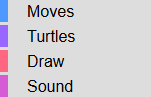
The first four categories are covered in the Intermediate Mode tutorial.
The remaining categories in the Advanced mode are documented below, with a PDF for each category. Each tutorial includes an explanation of each block, plus examples of how to use it. In the later chapters, sample code is included for more complex coding challenges.
Start with the Introduction (1 page), which gives an overview of the Advanced mode. As you gain more experience you may wish to read the Tips for Power Users
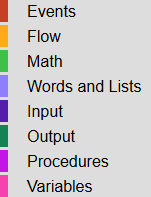
Events tutorial (4 pages): includes handling keypresses and mouse events
Flow tutorial (4 pages): includes While, Until, loop counters, and more
Math tutorial (3 pages): includes Pi, integers, operations, and randomization
Words and Lists tutorial (7 pages): includes displaying text, creating and using words and lists, and more
Input tutorial (2 pages): includes mouse and turtle position
Output tutorial (3 pages): includes getting user input, state capital quiz example
Procedures tutorial (10 pages): creating procedures with and without inputs, more details below
Variables tutorial (5 pages): includes creating global variables, more details below
The Procedures tutorial includes creating procedures with and without local variables, calling procedures, subprocedures, and recursion, with sample code for creating plurals, computing factorials, and an enhanced number guessing game.
The Variables tutorial includes a step-by-step explanation of how to create an ice cream shop where customers can order a two-scoop ice cream cone with flavors they choose.