Terrapin Resources

Did someone forward you this? Subscribe here to Bee-Bot Buzz, Bee-Bot Insider, or Turtle Talk.

Volume IV, Issue 3 ~ December 2025


Greetings!


Bee-Bot Buzz helps you make the most of the Bee-Bots, Blue‑Bots, and other related STEM products for your young learners. Engage students in curriculum concepts and problem-solving with these fun robots and find out how other educators use them.


In this issue:

  • Bots Make Great Gifts!
  • Fourth Graders Explore Computer Science with Bee-Bots
  • Sign Up for Bee-Bot Insider for a Free Gift!
  • Lesson Ideas for Bee-Bot and Blue-Bot Mats
  • Kinderlogo Picture Gallery
  • Quick Links to Resources
  • We Want to Hear from You!


Click to view archives of past Bee-Bot Buzz issues.

Bots Make Great Gifts!

Do you have a young learner or two on your holiday gift list?


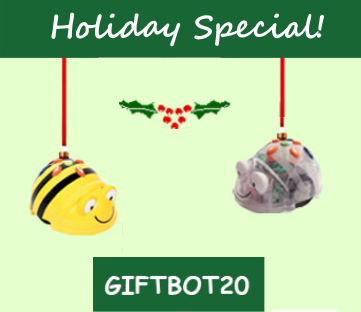
Our 2025 Holiday discount code offers you a 20% discount on one of any of our robots, along with free shipping on everything in your order. This offer is good through December 31, 2025. Just put GIFTBOT20 in the 'Apply Discount Code' field in the Terrapin shopping cart.


Our new set of activities—Fun at Home with Bee-Bot and Blue-Bot—is a great way for young users to get started with their new Bee-Bot or Blue-Bot in a home setting. The activities are designed for one or two children to use, with one or more Bee-Bots or Blue-Bots.


As children construct mazes out of household objects, learn how to get their bots to communicate with each other, invent their own challenges, and use Bee-Bot with the Bee-Bot Online Emulator, their fun will last a long time!


Order your bots today to make sure they arrive in time for the holidays!

Fourth Graders Explore Computer Science with Bee-Bots

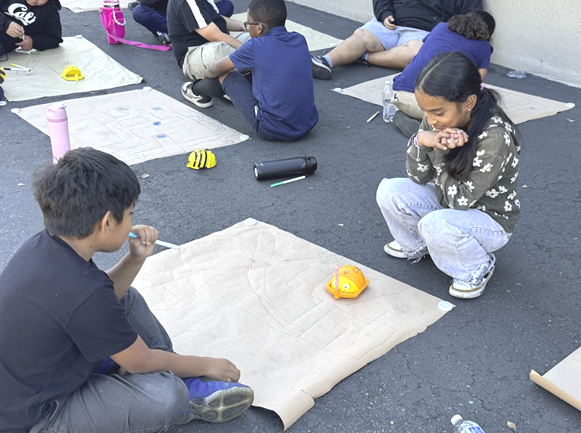
Ashley Ruiz, Director of Partnerships and Grants at the Snap Inc. Institute for Technology & Education in California, shares how she collaborated with fourth grade teachers to plan a Computer Science Activity Day.


Read this new Customer Story about the projects the team designed to engage the students in computer science using Bee-Bots and Pen Holder Jackets and what they learned.


Please send us your Customer Story! Here's how.

Sign Up for Bee-Bot Insider for a Free Gift!

New subscribers to Bee-Bot Insider receive a free Bee-Bot teaching tool to use with students!


Why wait?


👉 Join Bee-Bot Insider today!


At our Newsletter Sign-Up page, you can choose which newsletters to receive.

Read our Newsletter FAQs for tips on managing your subscriptions.


Please join! We'd love to have you on board.


— The Bee-Bot Team at Terrapin

Lesson Ideas for Bee-Bot and Blue-Bot Mats

Terrapin Resources is filled with user guides, helpful robot tips, and teaching ideas. A popular area is the Learning Mats!


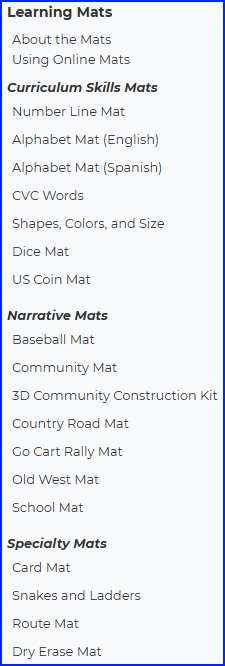
Bee-Bot and Blue-Bot mats are organized into three categories, based on how they are typically used:


  • Curriculum Skills Mats let students explore and practice math and language concepts that are part of their daily lessons.


  • Narrative Mats engage students' curiosity and creativity as they navigate their bots to tell a story or explore an environment.


  • Specialty Mats are multi-purpose or specific to a particular robot.


Each mat has Lesson Ideas in Terrapin Resources. You can use these mats and the lessons in your classroom on the floor or a large table, or in the Bee-Bot Online Emulator or Blue-Bot Online Emulator.


These sets of mats are bundled to save you money:


Some mats are fun for bot users at home, such as the Snakes and Ladders Mat and the Baseball Mat!


All mats are available separately in the Terrapin store.

Kinderlogo Picture Gallery

Kinderlogo offers a fun way for young learners to explore coding. Instead of using a physical robot, students give commands using letter keys to move Logo's iconic turtle around the screen. In the process, they express their creativity as they learn directions, angles, patterns, and more.


The Logo language was developed in the 1960s at MIT by Seymour Papert and his colleagues as a way for children to immerse themselves in a world in which they become the teacher. Students learn to teach the turtle new commands and use those new commands to create more complex designs. Terrapin Logo continues to stay current with new updates and versions.

Read more about the history of Logo here and here.


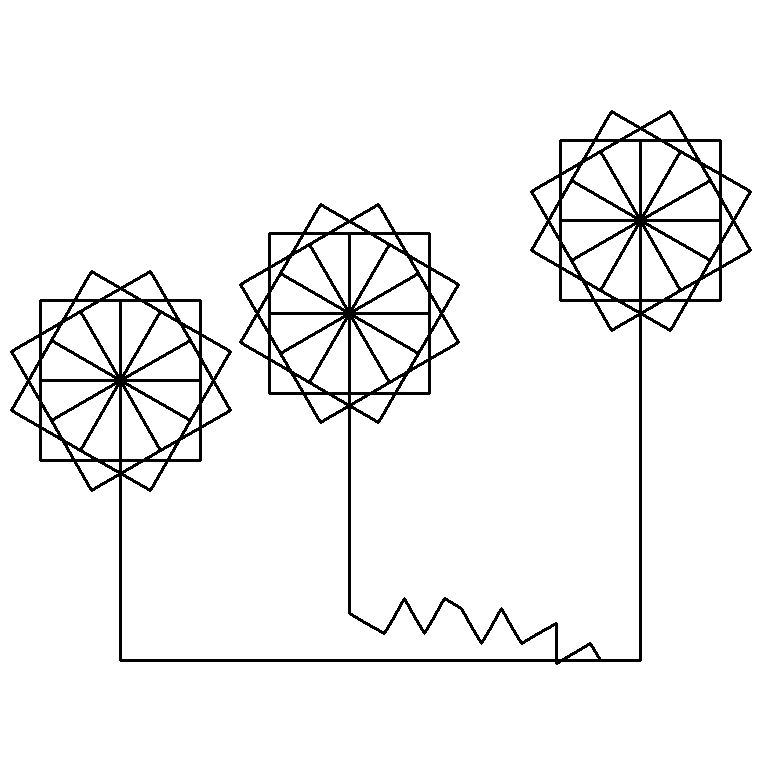
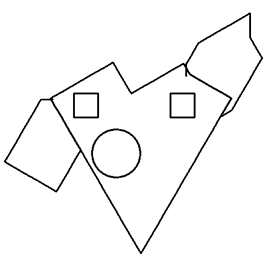
Because Logo commands are difficult for K–3 students to type, Kinderlogo was created to allow younger learners to explore with the turtle using letter keys. Commands are introduced in five sequential levels. Children can freely explore the new commands and play learning games that reinforce them. Below are examples of what K–3 learners can create!


Kinderlogo Guide | Overview of Activities | 52 Ideas for Kinderlogo | Try Kinderlogo!

Kinderlogo Level 1:

Meet the Turtle

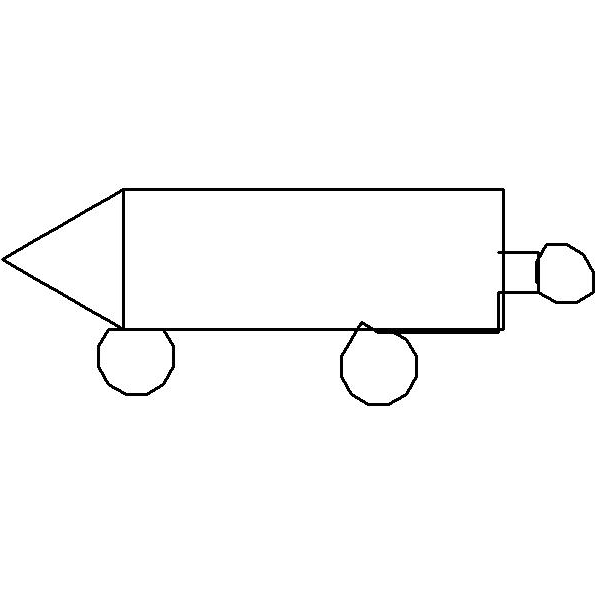
With just a handful of commands, children can create amazing designs! This Kinder student is just beginning to explore circles.


Level 1 Commands:

F- Forward 20 steps

R - Right 30 degrees

L - Left 30 degrees

N - New picture

X - Undo last command

Kinderlogo Level 2:

Patterns & Designs

With built-in square and circle commands available in Level 2, patterns become a natural part of students' creative artwork!


Level 2 Commands:

S - Square

C - Circle

B - Back 20 steps

O - turn the Opposite way


Kinderlogo Level 3:

Turtle Magic

At Level 3, new commands let students raise and lower the turtle's pen. This opens up a world of new adventures!


Level 3 Commands:

U - pen Up

D - pen Down

T - hide or show the Turtle

H - send the turtle Home


Kinderlogo Level 4:

Color!

Level 4 adds color! Children are eager to add pen and background colors to their patterns and designs.

Kinderlogo Level 5:

The Total Turtle

At Level 5, young coders can name up to four sets of instructions and then repeat the sequence of commands.

Kinderlogo Extras

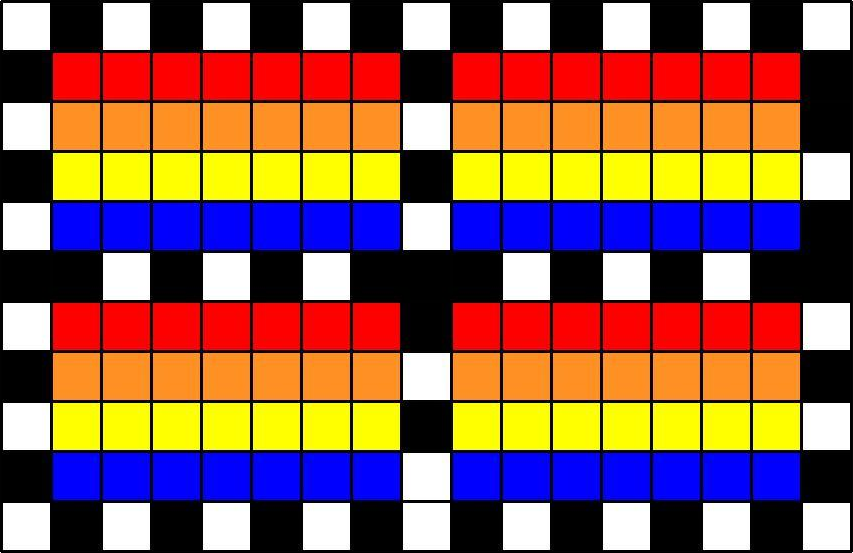
Using the "Color Grid" activity, this young learner carefully constructed a nearly-perfect symmetrical design by setting the color and clicking to fill boxes. Other Extras include sorting and matching games, a music keyboard, and a Bee-Bot activity.

Kinderlogo is available as a school-wide license, a Home version, and a 30-day Free Trial.

Quick Links to Resources

Bee-Bot Lessons ~ for Bee-Bot and Blue-Bot! Explore 200 lessons and 600+ online activities for K–2 learners in all curriculum areas. Try it!


Problem-Solving with Bees and Blues ~ 150 challenges to try in the classroom or online. Try it!


Exploring Math with Blue-Bot ~ Coding fun with Blue-Bot while practicing math skills. Try it!


Kinderlogo ~ Creative math activities for K–3 learners to explore online with the Logo turtle.

Try it!


52 Ideas for Kinderlogo ~ Free booklet to get you and your students started with Kinderlogo. Includes activities for each of the five levels.


Lesson Ideas (free) ~ Get teaching tips for all our learning mats and accessories.


Accessories Chart (free) ~ Which accessories and curriculum products work with each robot?


Customer Stories (free) ~ See how others use bots and other technology. Send us your story!

Bee-Bot Online Emulator (free) ~ Explore with Bee-Bot in your web browser using a variety of mats, including Teacher-Created Mats.


Blue-Bot Online Emulator (free) ~ Navigate Blue-Bot using both 45° and 90° angles and repeat loops.


Tuff-Bot Online Emulator (free) ~ Code online with this fun robot. Try the obstacle avoidance feature!


Teacher-Created Mats (free) ~

Try Bee-Bot mats that other educators have created to share with you.


Monthly Emulator Mats (free) ~ A new calendar mat to explore every month!


Coding Journeys (free) ~ Compare Bee-Bot, Blue-Bot, and Pro-Bot in 19 sets of free online activities.


Terrapin Resources (free) is packed with articles, tips, and ideas.

We Want to Hear from You!


Here's how to share your Bee-Bot mats or Customer Story with us.

Do you have ideas for new products or features? Fill out our Customer Contribution Form.

Do you have images of students using Bee-Bots or Blue-Bots that you can send us?

We'd love to feature them in a Bee-Bot Buzz newsletter or Customer Story.

Terrapin | 955 Massachusetts Ave, Suite 365 | Cambridge, MA 02139 

800-774-LOGO (5646) | +1-508-487-8181 (international) | Fax 617-302-9778

terrapinlogo.com | facebook.com/BeeBot.us | instagram.com/terrapin.tools.for.thinking


Find our Turtle Tuesdays Logo coding challenges on Facebook and Instagram each week!

Visit the Turtle Tuesdays web page to see all the weekly challenges and solutions.

Some challenges can also be done using Kinderlogo, Pro-Bot, and InO-Bot.

Facebook  Instagram  YouTube