Start Your Logo Coding Journey Today!
So you want to learn more about coding in Logo? You’ve come to the right place!

Logo is the original programming language designed specifically for children. Developed at MIT when computers first entered classrooms, Logo introduced a groundbreaking approach to learning—inspiring students to explore, experiment, and create through code. With Logo, the student becomes the teacher, controlling the turtle to do its bidding. Terrapin has been a leader in Logo education since the beginning, developing and supporting Terrapin Logo continuously since 1979.
Our Logo tools can be used by children as young as five years old. Adults around the world create projects they design using Logo. It is truly a universal language.
How do you get started?
Kinderlogo
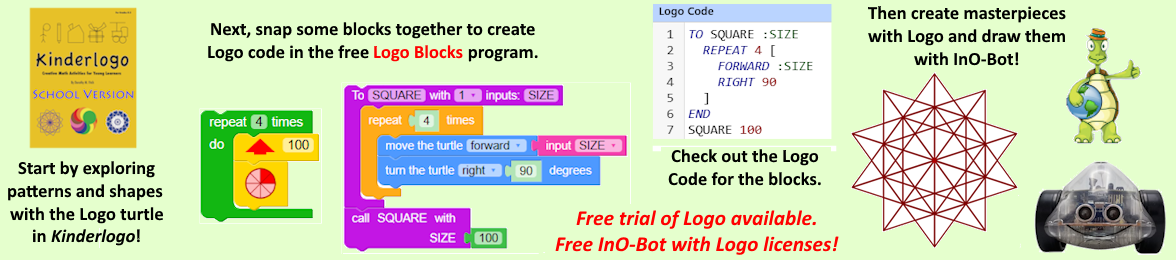
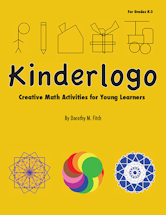 Kinderlogo is a Logo playground for young children in grades K–3. Using keystroke commands, they move the legendary Logo turtle around the screen, creating patterns, shapes, and their own designs. Children explore new commands in five levels, eventually learning to give a set of instructions a name, a fundamental coding skill.
License Kinderlogo for use in schools and homes. Try it for free for 30 days.
Logo Blocks
The next step in the coding journey is Logo Blocks, Terrapin’s free coding tool.
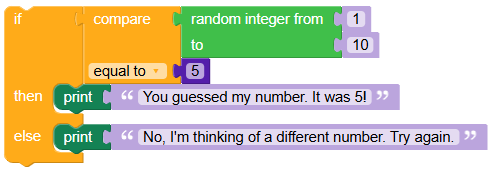
Coding is as easy as snapping blocks together. Logo Blocks generates code for the Logo language in real time as you code.

Three modes—Beginner, Intermediate, and Advanced—each with activities and tutorials, get you started quickly and guide you through creating more complex projects.
Logo Blocks offers dozens of commands to challenge all users. You can use multiple turtles, change the shape of the turtle to Bee-Bot, and progress to coding games using blocks.
Terrapin Logo
Your coding destination is Terrapin Logo, a full-featured text-based programming language. With over 400 commands, you are limited only by your imagination!
We are continually updating Terrapin Logo, which runs in a browser, making it perfect for desktops, laptops, and Chromebooks.
Logo has been around for a long time, and has proven its value. It is as valid today as it was in the 1970s. Read an overview of Logo in Education in “Why Use Logo?”.

The latest version, Logo6, offers improved layout options that include Logo Blocks and intuitive on-demand Help.
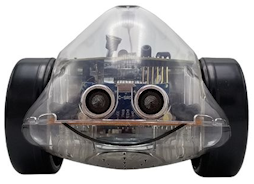
A three-year Household License includes InO-Bot, a floor robot that follows the Logo commands you enter at your computer. A School License gives you an InO-Bot Six-Pack. Getting Started with InO-Bot and Terrapin Logo guides you in using them together.
Learn more about Terrapin Logo.
License Terrapin Logo for Households or Schools. Try it first with a 14-day free trial.
How to Learn Logo
Terrapin offers a wealth learning materials for all ages to help you learn to code in Logo.
A complete Logo Manual and List of Commands have all the information you need.
The Logo Program Library offers examples of programs of many types.
We’d love to add your masterpiece! Contact us here to share your project.
A Logo license for home or school gives you access to Logo Works: Lessons in Logo (view contents) and 101+ Ideas for Logo (view contents).
The Logo Learning Center gives examples of how to use the most common commands and is a great resource for students just getting started.
Turtle Tuesdays presents a new coding challenge every week, with solutions provided the following Tuesday.
Our Turtle Talk newsletter gives you the latest news about Logo and other related topics. Sign up here.
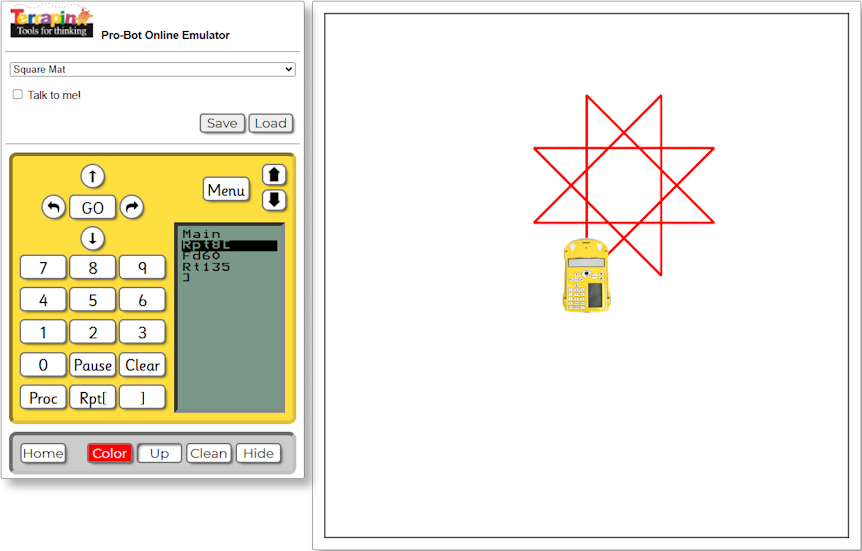
 Pro-Bot, our robot that looks like a racecar, has Logo built right into it! You can code in Logo directly on Pro-Bot and draw designs with the Dry Erase Mat and Markers. Our Pro-Bot curriculum, Pro-Bot Lessons, teaches you how to use this fun robot and tie it directly to your geometry curriculum. Our YouTube channel has step-by-step videos about how to use Pro-Bot and code its sensors.
You can practice coding Pro-Bot using the Online Emulator.