Did someone forward you this? Subscribe here to Bee-Bot Buzz, Bee-Bot Insider, or Turtle Talk. | | |
Volume V, Issue 1 ~ August 2026
Greetings!
Bee-Bot Buzz helps you make the most of Bee-Bots, Blue‑Bots, and other related STEM products for your young learners. Engage students in curriculum concepts and problem-solving with these fun robots and find out how other educators use them.
In this issue:
- Our Emulators Just Got a Fresh Look!
- Problem-Solving with the Online Emulators
-
New! Learn to Code, Learn to Think Email Course
- Product Spotlight
-
Join our Growing Bee-Bot Insider Community
- Quick Links to Resources
- We Want to Hear from You!
Click to view archives of past Bee-Bot Buzz issues.
| | Our Emulators Just Got a Fresh Look! | | |
Over the summer, our Online Emulators for Bee-Bot, Blue-Bot, Tuff-Bot, and Pro-Bot got a makeover! Now you will see:
- an explanation of what an emulator is
- a landing page where you can select an activity
- clearer instructions and images for all modes and levels
- links to resources and newsletters
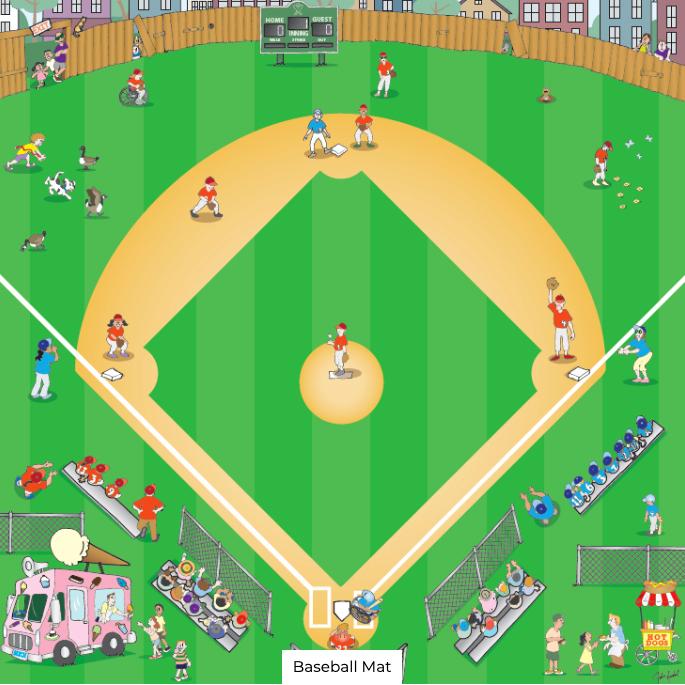
All your favorite mats are still there, plus you can use our other free online emulator activities:
Ready for more? Terrapin's curriculum products add over 1,100 online emulator activities, organized into ready-to-use lessons and challenges. You can try them for free for 30 days.
The next story shows ways to expand students' thinking with more advanced challenges.
Read on!
| | Problem-Solving with the Online Emulators | | |
Our Online Emulators aren't just for practicing commands. They are also great tools for challenging students to predict, experiment, and solve problems. Here are some examples to try. In most of the emulator activities, you (and your students) can predict what Bee-Bot will do. But not necessarily with this mat, which uses the Pen Holder Jacket!
Challenge #1 - Bee-Bot Drawing Challenge (using the Square Mat with Pen Holder)
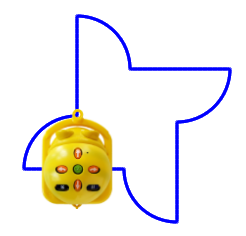
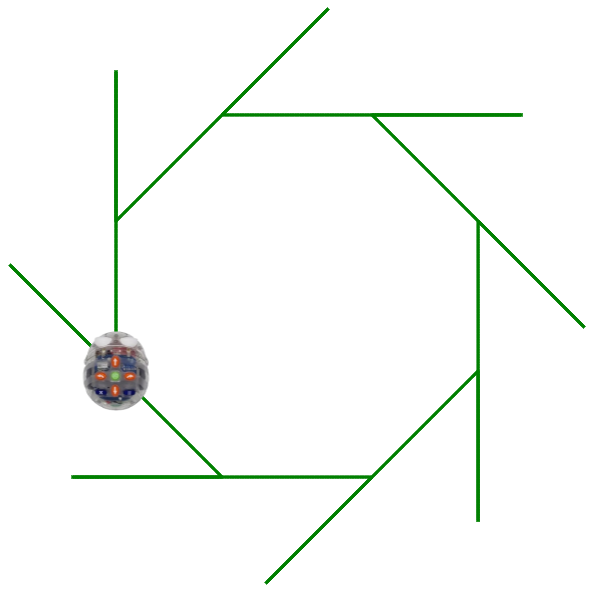
How would you code Bee-Bot to draw this design? What moves and turns are required?
| | Experiment with the move and turn commands to see how they differ from Bee-Bot's normal movements. Then try to create this design. The solution is surprisingly simple: enter the commands you would use to draw a square. But this doesn't look at all like a square, does it? That's because the pen isn't in the center of the Bee-Bot, where it rotates—the pen is in the front. That makes all the difference! | |
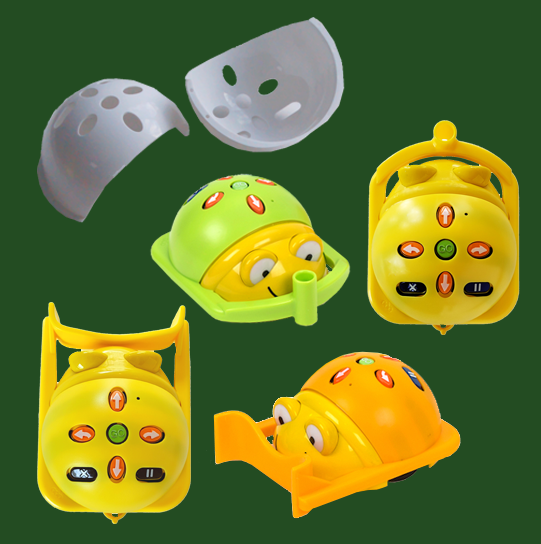
Try it with a real Bee-Bot! Put on the Pen Holder Jacket and draw the design on paper.
Challenge #2 - Bee-Bot Drawing Challenge (using the Square Mat with Pen Holder)
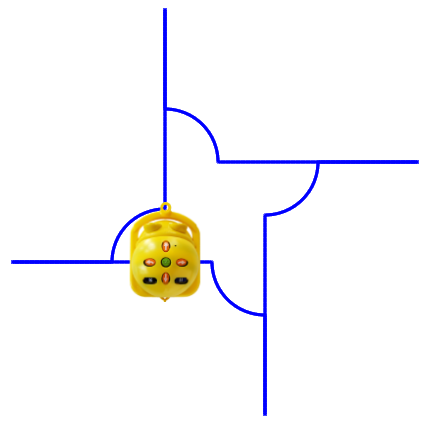
Here is a similar challenge using the same emulator mat. How would the commands change for this design? Can you and your students work it out?
| | This design is similar to the square, but involves forward, back, and right turns. You can enter the commands just once, and then press GO four times to complete the design. | | It's fun to explore with this mat, because you never quite know what Bee-Bot will draw! The real challenge is figuring out why Bee-Bot drew what it did and using what you discover to predict what it will do next. | | |
The Blue-Bot Explorer Mat can offer some tricky challenges as well. Because Blue-Bot draws without wearing a Pen Holder Jacket, it is easier to predict its moves.
The Explorer Mat offers the ability to draw and commands for loops and 45° angles.
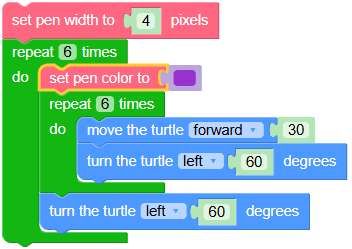
New to this mat is the ability to add a pen color to the list of commands so you can create the entire design using one set of commands, and save the result.
Try these challenges with your students. Have them work in pairs or small groups to predict what Blue-Bot will do, test their ideas, and revise their code. Comparing different solutions is part of the problem-solving process.
Want the solutions? Download this free PDF for more information and solutions to all five challenges.
| | Click to enlarge any of these images. | | |
Blue-Bot Challenge #1
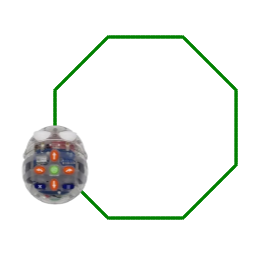
We'll start with a simple shape. What is this shape called?
What commands would you use to draw this shape?
How much would you need to turn Blue-Bot each time?
Can you create a loop that draws complete shape?
Click the RPT 2 button until you see the right number in the code area at the bottom. End the loop with the ] RPT button.
| |
| |
Blue-Bot Challenge #2
Start with the code from the first challenge. What do you need to add to create this design?
If Blue-Bot hits the edge of the mat, it will stop and not complete the design correctly.
Tip: Did you know that you can drag Blue-Bot to a different spot on the mat before pressing GO?
This lets you create larger designs. But clicking Home will return Blue-Bot to the center of the screen, not where it started.
| | |
Blue-Bot Challenge #3
We posted this design on social media around July 4 as a colorful fireworks display.
One of our followers asked,
"How did you do that?"
It's not as easy as it looks!
You'll need to create several loops, and use both 45° and 90° turns. The trickiest part is figuring out when to set the pen to the right color! Try to complete the entire design using one set of code.
| |
|
Learn to Code, Learn to Think — a free email course
| | |
Curious about coding? Want to explore computational thinking on your own or with students? This 12-part email course starts at the beginning and introduces the fundamental concepts behind programming.
- following directions and sequencing
- repeating commands with loops
- writing procedures
- using conditionals: IF/THEN/ELSE
- creating and using variables
- exploring recursion
- getting user input
- handling mouse and keyboard events.
Explore these topics at your own pace using free tools: online emulators, Logo Blocks, a tiny version of Logo, and a trial version of the complete Logo language.
You'll get explanations, sample code, and lots of activities to try on your own (with solutions).
Read more about this free course and sign up!
| | |
The goal isn't to turn you into a programmer, but to engage you and your students in computational thinking:
- pattern recognition
- sequencing
- predicting
- problem-solving
- debugging and revising
Bonus lessons cover coding in the age of AI, editing and debugging code, and resources for continuing to learn.
Exploration, discovery, creativity, and experimentation are key components of this process. Try it, it's free!
| | |
Would you like Terrapin support for your event?
Use this form to tell us about it and we'll work out a plan with you.
| |
Join Our Growing Bee-Bot Insider Community
| | |
As a Bee-Bot Insider, you'll hear from us by email when we have Bee-Bot news, special offers, new online activities, or customer stories to share. New subscribers to Bee-Bot Insider also receive 30 Bee-Bot Online Emulator activities to use with students!
👉 Become a Bee-Bot Insider today!
At our Newsletter Sign-Up page, you can choose which newsletters to receive.
Read our Newsletter FAQs for tips on managing your subscriptions.
We'd love to have you join us!
| | |