☰
Terrapin Resources

Bee-Bot Buzz Home


2026-2027 School Year

October 2026 Issue Screen-free Activities, Remote Coding, Pro-Bot Test Drive

August 2026 Issue New Emulator Look, Problem-Solving Challenges, Free Email Course


2025-2026 School Year

June 2026 Issue Space Day, Grocery Mat Images, Product Spotlight, Funding Info

April 2026 Issue Activities for Multiple Bots, Logo Blocks Turtle Dance, Accessories

February 2026 Issue Logo Blocks, Curriculum Discount, Coding Journeys, Accessories

December 2025 Issue Bots as Gifts, CS Activity Day, Bee-Bot Insider, Mat Lesson Ideas, Kinderlogo Gallery

October 2025 Issue Free Curriculum Trials, Bee-Bot Job Roles, Bee-Bot Insider, Play Ball! Bundle

August 2025 Issue Blue Connection, Bee-Bot Insider, Project CODER, Garden Fun


2024-2025 School Year

June 2025 Issue Product Updates, ISTE STEM Guide, Charging Tips, New Emulator Mats

April 2025 Issue New Mat Bundle, Bee-Bot Research, Tools for Exploring, How to Share a Story or Mat

February 2025 Issue Jacket Collection, Meet Daphne and Discover Gracie, CA Wildfires, Confused Students?

December 2024 Issue “Going Places” Bundle, Teacher-Created Online Mats, Tablet-Friendly Kinderlogo

October 2024 Issue Updated Hive Case, Coding Story, Kinderlogo for Home, What’s a Bee-Kin?

August 2024 Issue Storytime STEM, ISTE, Classroom Bundles, Bee-Bot Olympics


2023-2024 School Year

May 2024 Issue Coding Journeys, Coding to Learn, Bee-Bot Mats

March 2024 Issue Dancing with Robots, Lending Library, New Bee-Bot Lessons Additions

January 2024 Issue Exploring Math with Blue-Bot, Bee-Bot Parade, Bee-Bots Around the World

November 2023 Issue Research, Emulator Features, Calendar Mats, “52 Ideas for Kinderlogo

September 2023 Issue Announcing Kinderlogo, Tennessee Initiative, Bee-Bot vs. Blue-Bot, Spooky Sounds


2022-2023 School Year

June 2023 Issue Ideas for Mats, Accessories Chart, Blue-Bot Curriculum, Unplug your Bots!, New Emulator Features

April 2023 Issue Funding for Robots, Sensors,
Bee-Bot Research, AI Poetry

February 2023 Issue Blue-Bot Delivery Service, More Bee-Bot Dances, Bee-Bots for Specialists, NCCE

December 2022 Issue Next Step: Pro-Bot, Charging Tips, Bee-Bot Dances

October 2022 Issue Bee-Bot Lessons Gets an Update, Bee-Bot Quick Start Guide

Did someone forward you this? Subscribe here to Bee-Bot Buzz, Bee-Bot Insider, or Turtle Talk.


Greetings!


Bee-Bot Buzz helps you make the most of Bee-Bots, Blue‑Bots, and other related STEM products for your youngest learners—with lesson ideas, classroom tips, and inspiration from fellow K–2 educators.


In This Issue:


  • Screen-Free Activities for Bee-Bot and Blue-Bot
  • Remote Coding with Blue-Bots + a Special Offer
  • New! Take Pro-Bot on a Test Drive
  • October Fun!
  • Product Spotlight
  • Quick Links to Resources
  • We Want to Hear from You!


Click to view archives of past Bee-Bot Buzz issues.

Screen-Free Activities for Bee-Bot and Blue-Bot

Bee-Bots and Blue‑Bots offer great learning and coding opportunities without a screen, and the benefits are huge:


  • Pressing the onboard buttons directly reinforces hand-eye coordination and fine motor skills.
  • The robot's response is instant and physical—no loading screens, no lag.
  • Students focus on the robot, not on a screen full of buttons, menus, and distractions.
  • Students can plan, predict, run, and debug programs together.
  • Collaboration builds turn-taking, patience, and confidence.


With no screens between the student and robot, the learning stays where it belongs: in their hands.


Let's take a look at some fun "unplugged" Bee-Bot and Blue-Bot activities for K–2 classrooms.

Bee-Bot Dance

nanuet8 image

Make a Parade

Chatty Bots

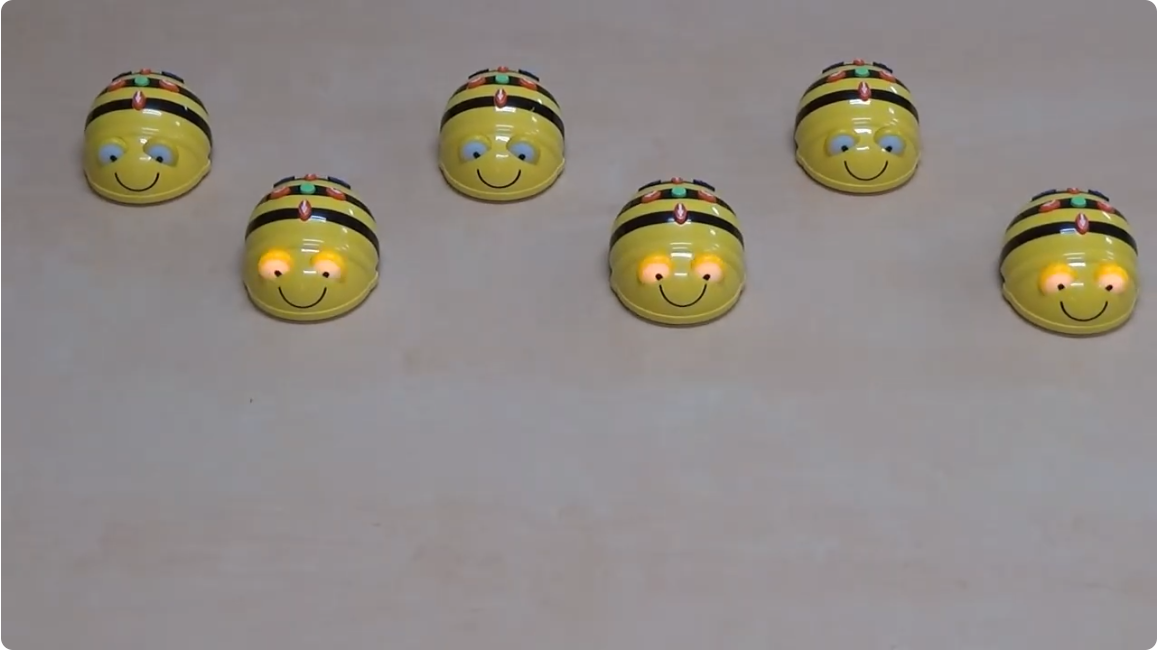
  1. Choreograph a dance for your Bee-Bots. This video shows an example.
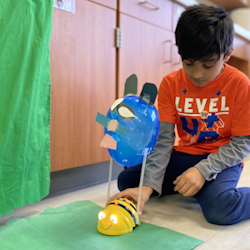
  2. Decorate your Bee-Bots and make a parade. This customer story shows a great one!
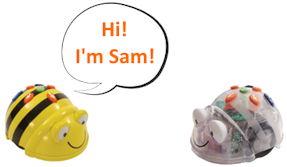
  3. Get your Bees and Blues talking to each other. This article tells you how.
  4. Use your Bee-Bot as a measuring tool, reinforcing math at the same time. Read more.
  5. Teach mapping skills with Bee-Bot. This customer story gives you ideas.
  6. Use Bee-Bot to teach sequencing. This customer story tells you how.
  7. Try these Bee-Bot activities, originally created for home use, but also good in schools.


Want more lessons? Originally designed for screen-free use, Bee-Bot Lessons covers 10 curriculum areas with 200 lessons, each with multiple classroom and online activities. Try it free for 30 days.

Remote Coding with Blue-Bots + a Special Offer

Blue-Bot takes screen-free coding further. It does everything Bee-Bot does, plus adds remote coding—no screen required. It pairs with the TacTile Code Reader over Bluetooth. This gives students added coding experience without a display.


Press Connect to pair Blue-Bot, then place command tiles into the Code Reader's tray in the order you want. Press Send and watch Blue-Bot follow your code step-by-step while the TacTile Code Reader lights up each tile in sequence. Want to change the program? Just swap out command tiles or switch the order of the tiles and press Send again. Learn more about the TacTile Code Reader.


Each TacTile Coder Reader holds 10 tiles; chain up to 3 together for longer programs. It comes with a Standard Tile Pack, and the Extension Tile Pack adds 45° turns and repeat loops for more control.


Bonus: The TacTile Code Reader also works with Tuff-Bot!

Read more about using the TacTile Code Reader.

Special Offer — Free TacTile Code Reader


When you order a Class Bundle or a Hive Bundle customized with Blue-Bots,

you receive a TacTile Code Reader at no extra charge!


Already have Blue-Bots or want more tiles?
Enjoy new lower prices for these products:


Tactile Code Reader | Standard Tile Pack | Extension Tile Pack


This is a limited-time offer, so place your order or quote by 12/31/2026.


New! Take Pro-Bot on a Test Drive!

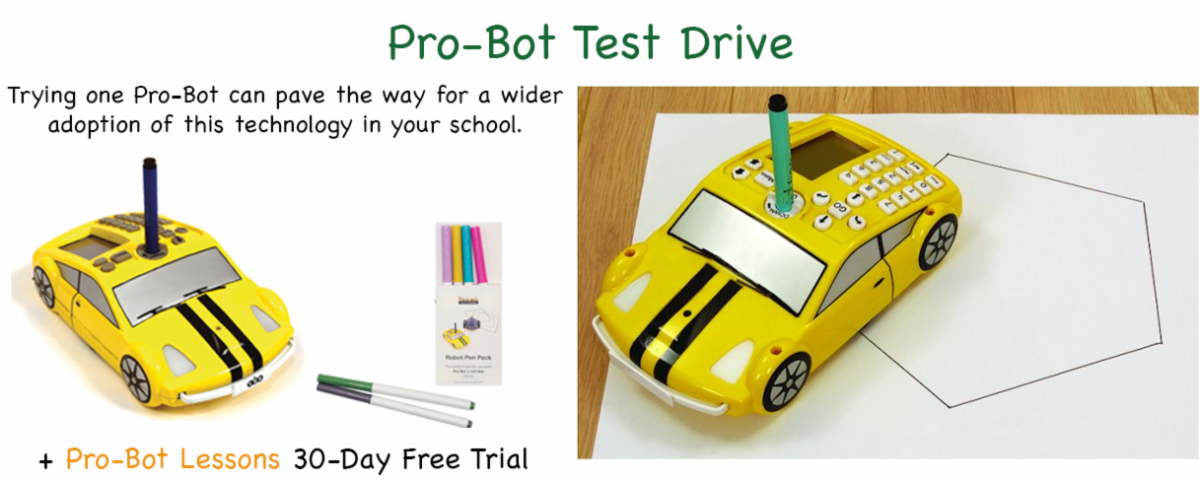
Are you planning to launch or expand a robotics program? Take the next step beyond Bee-Bot and Blue-Bot with a more sophisticated robot. With the new Pro-Bot Test Drive, you can evaluate Pro-Bot with students before adopting the technology more widely.


Perfect for students in grades 3–8, Pro-Bot is self-contained and requires no other device or app to use. Pro-Bot naturally expands skills developed with Bee-Bot and Blue-Bot. Students can start by using Pro-Bot in "Bee-Bot mode," pressing its command buttons to move and turn fixed distances and angles. Adding numbers to control the moves and turns opens up many more possibilities, such as hands-on geometry through drawing. In addition, Pro-Bot offers repeat loops, touch and light sensors, and procedures, so students can continue to grow their skills.


The Test Drive includes a Pro-Bot, Robot Pen Pack, and 30-day subscription to Pro-Bot Lessons with free US shipping ($45 for international addresses). Best of all, the Pro-Bot and Pen Pack are yours to keep after the Test Drive.


The new "Pro-Bot in Action" web page offers video tutorials that are also included in the training emails that accompany the Test Drive.


Because of the high demand, Test Drives are restricted to one per school district or organization. Limited Test Drives are available, so don't wait.

October Fun!

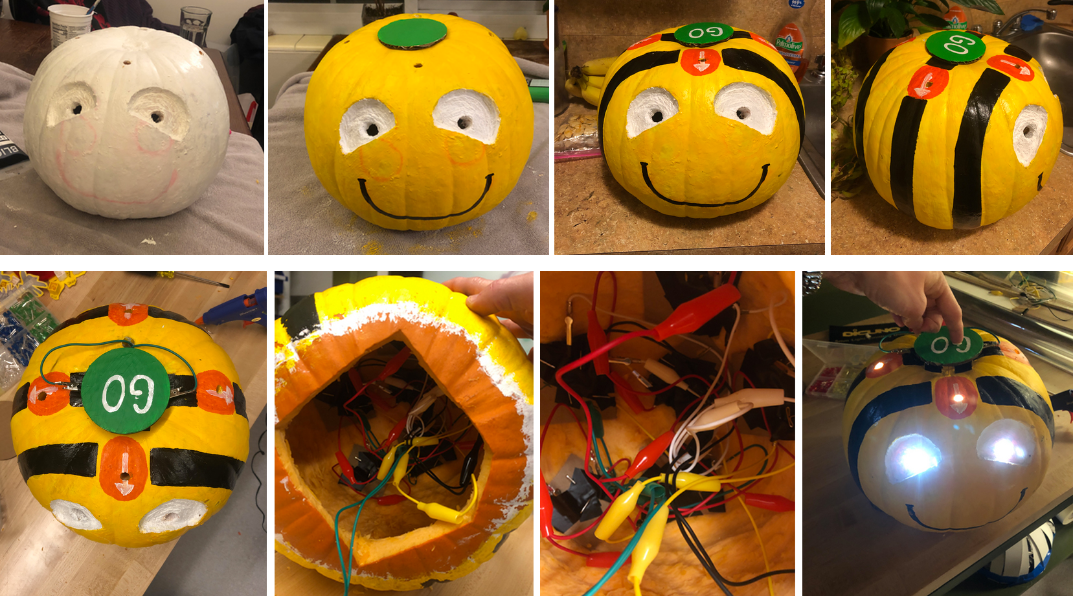
Turn a Pumpkin Into a Bee-Bot!

Read this creative Customer Story.

Why is Bee-Bot Making Spooky Sounds?

Learn how to turn those sounds off.

Product Spotlight

Free 12-Part Course

Learn to think like a computer! This email course helps you understand what coding is all about with dozens of engaging activities to explore on your own or with students using free tools.

Read more and sign up!

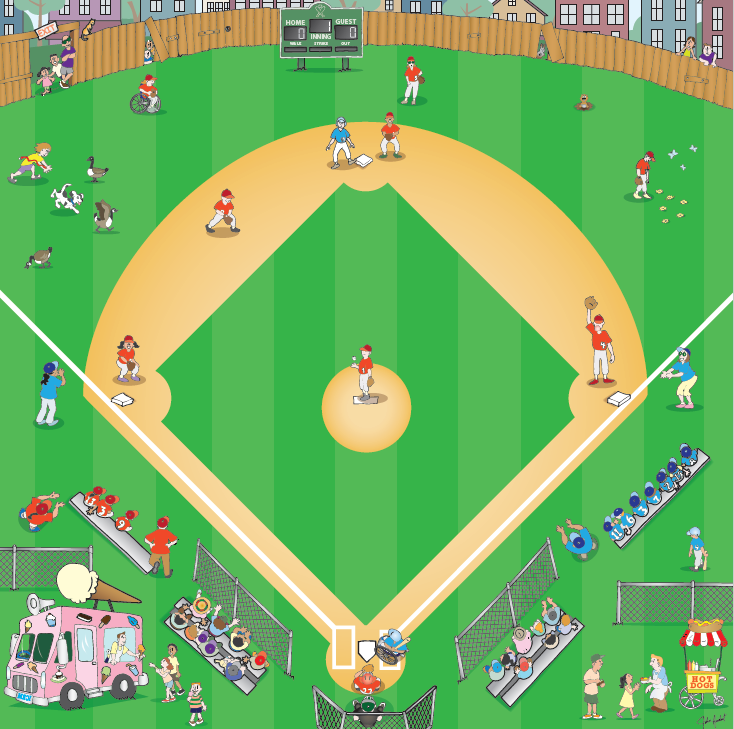
Baseball Mat Special!

Is your favorite team in the World Series? Everyone can be a winner with this mat! Get 20% off with free shipping on everything in the same cart through the World Series! Learn more.

Be a Bee-Bot Insider

Be the first to know about all things Bee-Bot and Blue-Bot.


New subscribers receive a free set of 30 online mats to use with your students! Watch for the link in your Welcome email.

Sign up now!

Would you like Terrapin support for your event?

Use this form to tell us about it and we'll work out a plan with you.

Quick Links to Resources

Bee-Bot Lessons ~ for Bee-Bot and Blue-Bot! Explore 200 lessons, 600+ online activities, and over 2,100 mat images in all curriculum areas. Try it!


Problem-Solving with Bees and Blues ~ 150 challenges to try in the classroom or online. Try it!


Exploring Math with Blue-Bot ~ Coding fun with Blue-Bot while practicing math skills. Try it!


Kinderlogo ~ Engage your K–3 learners in these creative math activities with the Logo turtle. Try it!


"52 Ideas for Kinderlogo" (free) ~ activities for each level to inspire your students with Kinderlogo.


Lesson Ideas (free) ~ Get teaching tips for all our learning mats and accessories.


Accessories Chart (free) ~ Which accessories and curriculum products work with each robot?


Customer Stories (free) ~ See how others use robots and other technology. Send us your story!

Bee-Bot Online Emulator (free) ~ Explore with Bee-Bot in your web browser using a variety of mats.


Blue-Bot Online Emulator (free) ~ Navigate Blue-Bot using both 45° and 90° angles, repeat loops, and remote control.


Tuff-Bot Online Emulator (free) ~ Code online with this fun robot. Try the obstacle avoidance feature!


Teacher-Created Mats (free) ~ Try Bee-Bot mats that educators have designed.


Monthly Emulator Mats (free) ~ A new calendar mat to explore every month!


Coding Journeys (free) ~ Compare Bee-Bot, Blue-Bot, and Pro-Bot in 20 sets of free online activities.


Terrapin Resources (free) is packed with articles, tips, and ideas.

We Want to Hear from You!


Here's how to share your Bee-Bot mats or Customer Story with us.

Do you have ideas for new products or features? Fill out our Customer Contribution Form.

Have photos of students using Bee-Bots or Blue-Bots? Send them our way!

We'd love to feature them in a Bee-Bot Buzz newsletter or a Customer Story.


Want to talk with us about what might work for your STEM program and what it would cost?

Need help or training on what you have purchased?

Schedule a free Zoom meeting (15, 30 or 60 minutes) and we'll be happy to help.

Terrapin | 955 Massachusetts Ave, Suite 365 | Cambridge, MA 02139 

800-774-LOGO (5646) | +1-508-487-8181 (international) | Fax 617-302-9778

terrapinlogo.com | facebook.com/BeeBot.us | instagram.com/terrapin.tools.for.thinking | www.youtube.com/@terrapin6664


Find our Turtle Tuesdays Logo coding challenges on Facebook and Instagram each week!

Visit the Turtle Tuesdays web page to see all the weekly challenges and solutions.

Some challenges can also be done using Logo Blocks, Kinderlogo, Pro-Bot, and InO-Bot.

Facebook  Instagram  YouTube
Search Results for ""